
From spreadsheet chaos to business system: a practical automation stack for small businesses
Small businesses often find themselves relying heavily on spreadsheets for managing data, tracking projects, and organizing information. However, as operations expand, these spreadsheets can become...

The Spreadsheet Trap: Knowing When to Graduate
Small businesses often find themselves relying heavily on spreadsheets for managing data, tracking projects, and organizing information. However, as operations expand, these spreadsheets can become a bottleneck, known as the 'spreadsheet trap.' This occurs when manual data entry, lack of version control, and fragmented information start to inhibit growth and efficiency. One of the key symptoms of this trap is the emergence of data silos, where different departments store information separately, leading to inconsistencies and miscommunications. Additionally, teams may face missed deadlines due to outdated or incorrect data being circulated. The constant question of 'who has the latest version?' becomes a frequent and frustrating hiccup in workflow processes. Recognizing these signs is crucial. As these issues escalate, it becomes evident that adopting workflow automation and business process automation tools can streamline operations, reduce errors, and improve overall business process management. By transitioning to a more integrated system, businesses can enhance collaboration and ensure that their operations are scalable and efficient, avoiding the pitfalls of spreadsheet dependency.

Mapping Your Core Business Processes
Mapping your core business processes is a crucial step before integrating any workflow automation solutions. By auditing your current workflows, you can identify inefficiencies and ensure a smoother transition to automation. Begin by pinpointing specific triggers and actions within your processes. Triggers like 'new customer signs up' can initiate a series of automated tasks, such as sending a welcome email, creating an invoice, or adding the customer to a project board. This strategic mapping allows businesses to streamline operations and optimize their business process management systems.
Defining the Input and Output
Understanding the beginning and end of a process is fundamental to effective workflow processes. Start by identifying what data or event is necessary to initiate a process. For instance, a customer inquiry could serve as the input. Then, define the desired final state—such as a successfully completed sale or a resolved customer issue. This clarity helps in designing business process automation that aligns with your goals, using tools like IBM Business Process Manager or Power Automate Consulting.
Removing Friction Points
To make your business systems more efficient, it is essential to eliminate friction points. Many workflow processes include steps that exist simply because 'we’ve always done it that way.' Conduct a thorough review and question the necessity of each step. By pruning these redundant actions, you can enhance the overall efficiency of your business process management and IT systems, paving the way for a more streamlined and effective workflow automation strategy.
The Three-Layer Automation Stack
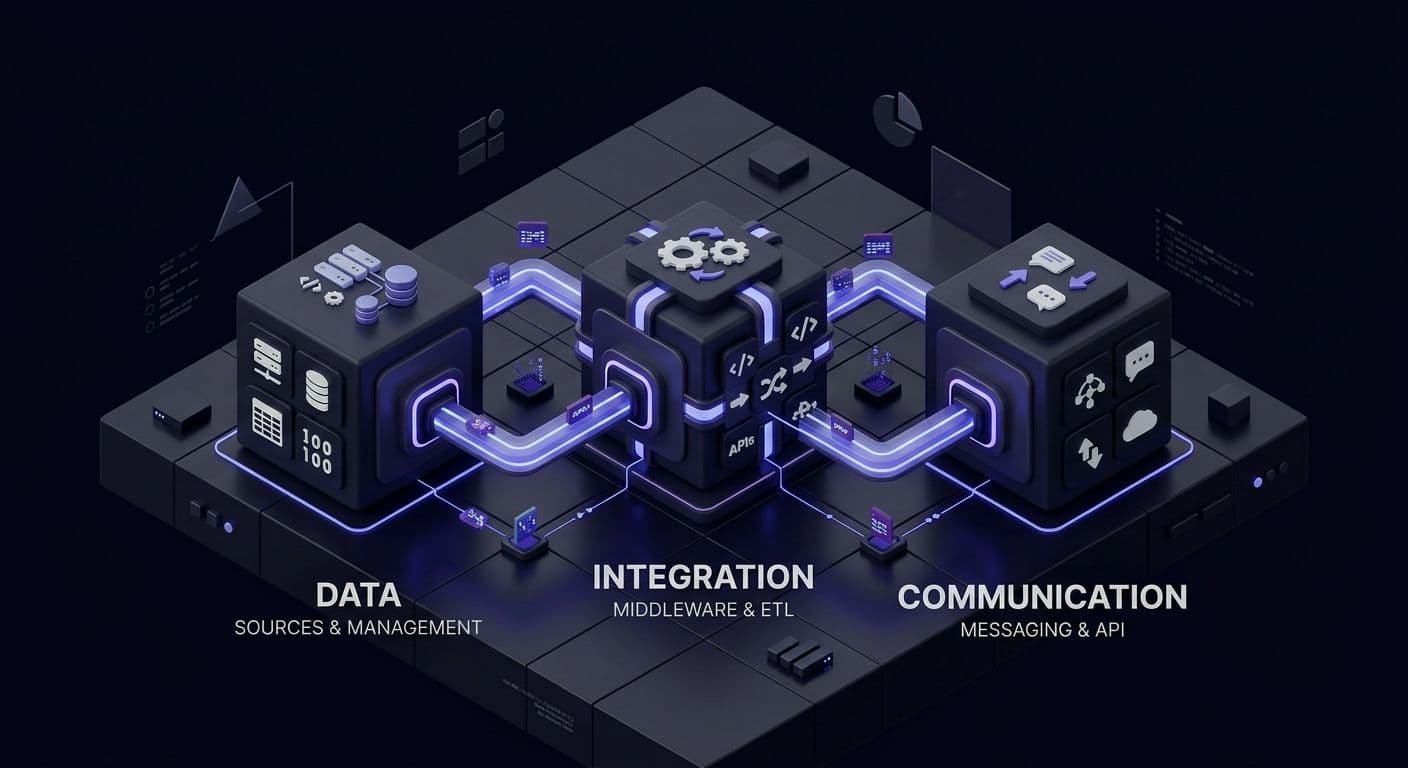
A well-structured automation stack is crucial for transforming chaotic spreadsheets into streamlined business processes. At the core of this transformation are three essential layers: the Database, Middleware, and Front-end Interface. These components work harmoniously to facilitate workflow automation and ensure efficient business process management.
The Database serves as the single source of truth in any automated system. It centralizes data, ensuring consistency and accuracy across all operations. A robust business process automation system relies on this central repository to manage data, enabling seamless integration with other tools and reducing errors inherent in fragmented systems. Options such as Unit4 Business Software BV can cater to specific needs, providing scalable solutions.
Middleware acts as the glue that binds the entire system together. It facilitates communication between the database and various applications, ensuring smooth data flow and interoperability. This layer is vital for business IT management, as it enables the automation of complex workflow processes without the need for extensive coding. Middleware solutions like IBM Business Process Manager enhance system efficiency by automating repetitive tasks and integrating disparate applications.
The Front-end Interface is the hub through which users interact with the system. It provides an intuitive platform for managing business processes, allowing users to engage with the system without needing technical expertise. By leveraging user-friendly interfaces, businesses can enhance productivity and streamline operations. Tools like Power Automate or n8n offer customizable interfaces that align with specific business needs, promoting effective business process management and IT integration.
Together, these three layers form a cohesive automation stack that empowers small businesses to automate their processes efficiently, reducing reliance on spreadsheets and enhancing overall e-business operations.
Selecting Your Toolset: The 'Best-in-Breed' Approach
Choosing the right tools is crucial for small businesses transitioning from spreadsheets to automated workflows. A 'best-in-breed' approach, which involves selecting specialized applications for different functions, often outperforms monolithic ERP systems. These large systems can become traps with their complexity and cost for small enterprises. Instead, starting with flexible, API-first tools like Airtable or Notion for data management allows for adaptability and customization. For no-code workflow automation, n8n, Power Automate, Zapier or Make can connect these tools seamlessly, automating business processes without the need for extensive coding knowledge. Communication platforms like Slack or Monday.com ensure that team collaboration remains efficient and integrated within your systems in business.
Avoiding Subscription Bloat
To prevent unnecessary expenditures, regularly audit your software usage. It's easy to fall into the trap of paying for overlapping features across multiple platforms. Focus on tools that deliver unique value and eliminate redundancies. This not only saves money but also simplifies business IT management. By conducting regular reviews, businesses can ensure that they are leveraging their technology investments effectively, aligning with the principles of efficient business process management and IT.
Prioritizing API Compatibility
API compatibility should be a top priority when selecting new applications. The ability for an app to communicate effortlessly with others is key to efficient workflow processes. Tools that are API-first facilitate seamless integration, enabling a coherent business process automation strategy. This compatibility is essential for building a robust and adaptable business process management system, allowing for easy scalability and innovation in your technology consulting business.
Building Your First 'Loop'
By leveraging workflow automation, small businesses can streamline operations and reduce manual errors. Begin by setting up a web form on your website to capture leads. This form should collect essential information such as the lead's name, email, and details about their interest in your product or service.
Once a lead submits the form, use a no-code automation tool to trigger an automatic update in your CRM system. This ensures that all lead details are recorded without manual entry. Choose a CRM that integrates well with your other tools, such as HubSpot or Salesforce, which can seamlessly connect with these automation platforms.
Next, automate the follow-up process. Create a workflow that sends a personalized email to the lead, thanking them for their interest and providing additional information. This can be done by setting up an email template within your CRM or using an email marketing tool like Mailchimp.
As the lead progresses through your sales pipeline, automate the generation of an invoice using an accounting software such as QuickBooks or Xero. When a deal is marked as 'won' in your CRM, trigger the invoice generation, ensuring that it includes all necessary details for payment.
Finally, set up a notification system to alert your team of the completed sale and the next steps for delivery or service provision. By automating these workflow processes, small businesses can enhance efficiency and focus more on scaling their operations.
Of course, this is a simplified description and a professionally set up automation loop will integrate with your existing systems or build on them but this is essentially how you can get to start automating for more efficiency.
Maintaining the System and Avoiding Fragility
Automation in business is a powerful tool, but it's not a one-time fix. To maintain a robust workflow automation system, regular upkeep is crucial. Challenges like broken links, API changes, and data drift can disrupt operations if left unchecked. A quarterly maintenance checklist can help in ensuring that your systems in business remain effective. This checklist should include reviewing all integrations, updating documentation, and verifying that all processes are running smoothly.
Error Handling 101
Proactive error handling is essential in automation. Setting up alerts ensures that you're notified of process failures before they impact customers. This can be achieved by configuring your automation tools to send notifications via email or messaging platforms when errors occur. Regularly testing these alerts to ensure they work as expected is a key part of business process management and IT.
Documentation as a Security Net
Comprehensive documentation acts as a safety net for your automation system. By maintaining a simple log of how each automation works, you enable team scalability and reduce reliance on a single individual. This practice is vital in IT consulting businesses, where team members need quick access to process details. Proper documentation facilitates smoother transitions and ensures continuity in business process automation.